
SlotsPalace Casino Mobile App Full Game Library for Greece
casinoglowzone >> Blog>> SlotsPalace Casino Mobile App Full Game Library for GreeceSlotsPalace Casino Mobile App Full Game Library for Greece

The SlotsPalace Casino ενημέρωση εφαρμογής app sets a entire casino floor at your fingertips, and it’s built specifically for players in Greece. This guide explains the practical details: the devices run the app effortlessly, how to set up it on Android and iOS within minutes, how the lobby is arranged, and what the complete game library looks like on a smaller screen. By the time you finish, you’ll be fully aware of what’s in store and how to start playing without uncertainty.
Performance, Bandwidth, and Mobile-Optimized Improvements
We engineered the SlotsPalace app to open games swiftly and operate seamlessly, even on mid‑range devices. The first startup takes only a few seconds, and once you’re inside, moving between the lobby and a game feels nearly instant. Live dealer tables use adjustable streaming, which adjusts video quality based on your connection speed to avoid lag. On a reliable 4G network, you can anticipate crisp graphics and snappy controls without visible stutter.
Data consumption depends by game type. A regular slot spin uses very little data, often less than a megabyte, while an hour of live casino play on medium quality may use around 200–300 MB. We suggest moving to Wi‑Fi when you plan a longer live dealer session, especially if your mobile plan has a data cap. The app prevents heavy background processes when minimized, so it won’t deplete your battery or eat up data by surprise while you’re not playing.
We also included several device-tailored touches that enhance everyday use. Push notifications can inform you about new promotions, tournament starts, or game releases, and you can manage these alerts in the settings. The app includes biometric login on both Android and iOS, enabling you to log into your account with a fingerprint or face scan. Touch-based bet selectors and swipe-based game carousels make browsing the library feel seamless, as if the entire casino was built solely for your phone from day one.
How to Get and Install the SlotsPalace App on Android
Because Google Play blocks real‑money gambling applications in many regions, you won’t see the SlotsPalace app in the Play Store. Instead, we provide the official APK file directly on our website. The process is easy, and we’ve checked it across dozens of Android devices popular in Greece. Start by opening your mobile browser and visiting the SlotsPalace Casino homepage. Search for the “App” or “Download” button, which is usually placed prominently at the top of the screen.
Before you click the download link, you need to allow installations from unknown sources. Navigate to your device’s Settings, then Security or Apps & Notifications, and turn on “Install unknown apps” for the browser you’re using. This step is required only once and can be changed after the installation is complete. Once the setting is active, click the Android download button on our site and the APK file will begin downloading immediately.
When the download completes, pull down your notification shade and tap the file, or locate it in your Downloads folder. Verify that you want to install the application, and within a few seconds the SlotsPalace icon will appear on your home screen. We suggest disabling the unknown sources permission again for everyday security. The app checks for updates automatically each time you start it and guides you through a similar quick installation when a new version is available.
The Entire Game Library on Mobile
We ensured the SlotsPalace app offers you the same level of selection you’d find on a desktop, without compromising. The slot collection alone spans hundreds of titles, from standard three‑reel fruit games to cinematic slot games filled with free spins, falling reels, and increasing jackpots. You’ll come across games from well‑known studios such as NetEnt, Pragmatic Play, Microgaming, and Play’n GO, all adjusted for touch controls and vertical or horizontal orientation.
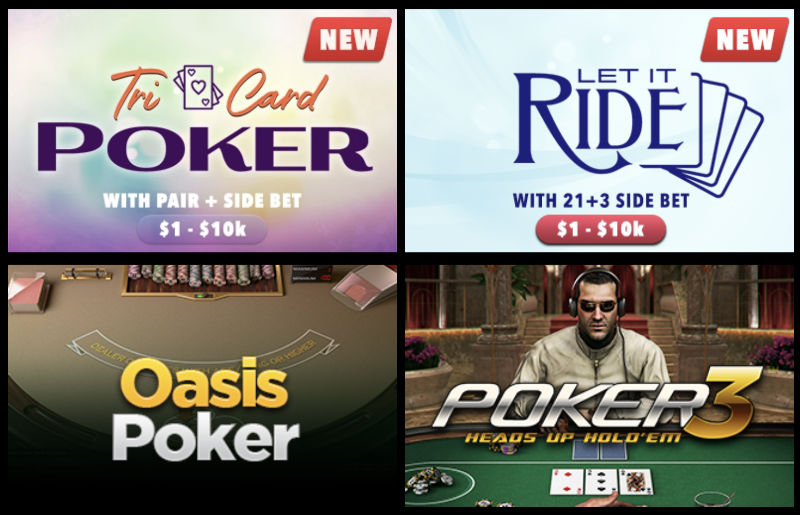
Table game enthusiasts are not overlooked. The app includes multiple variants of blackjack, European roulette and French roulette, baccarat, and casino poker. Each table loads a crisp, mobile‑friendly interface where you can place chips by tapping right on the felt. The live casino section streams real dealers in high definition from professional studios, with Evolution Gaming and other leading providers behind the tables. You can interact with the dealer and other players through a straightforward chat interface.
We regularly add new releases to the library, and the app features them in a “New Games” section so you can test the latest titles as soon as they come out. Most games supports a demo mode, letting you to test mechanics and volatility before committing real money. Your Favorites list updates with your account, so the games you save on mobile will also be visible on desktop when you change devices. The library is not a stripped‑down subset; it’s the entire catalogue, designed for your hand.
How to Download and Install the SlotsPalace App on iOS
For iPhone and iPad users, the SlotsPalace Casino app is made available through the Apple App Store, so the installation process is well-known and protected. You can choose to open the App Store and hunt for “SlotsPalace Casino” or visit our mobile website and press the iOS download link. That link directs you directly to the official app listing, where you’ll see our logo and a thorough description of the functions.
Tap the “Get” button, then confirm with Face ID, Touch ID, or your Apple ID credentials. The download size is compact, and the app should be set to use in under a few moments on a typical connection. There is no need to modify any special permissions during installation; iOS manages everything within its standard sandbox. After the icon appears on your home screen, you can log in with your existing SlotsPalace account or open a new one straight from the app.
We keep the iOS version in alignment with our Android version, so you’ll continually have the identical game selection and promotions. Updates are delivered through the App Store’s automatic update process, which signifies you can enable automatic updates and not once concern yourself about missing a new capability or security enhancement. If you ever have to reinstall, just redo the exact procedures, and your account balance and record will be ready for you after you sign in.
System Compatibility and Technical Specifications
The app operates on the smartphones and tablets many Greek players possess. On Android, the minimum requirement is version 5.0 (Lollipop) or higher, though we advise Android 8.0 and above for the best animations and fastest loading. A device with at least 2 GB of RAM and around 150 MB of free storage after installation will run it comfortably. Screen sizes from five inches up to large tablets are all supported, and the layout configures itself to your display.
On Apple devices, you’ll require an iPhone or iPad running iOS 11.0 or later. We’ve optimized the app for current screen resolutions, including the latest ProMotion displays, and the touch targets are sized so buttons and sliders appear natural under your thumb. Older iPads can still launch the app, but keeping your operating system updated is a good idea because we regularly roll out security patches and performance improvements.
A stable internet connection is important as much as the hardware. The app performs well on 4G and 5G mobile networks across Greece, but we encourage using Wi‑Fi for live dealer tables and high‑definition slot streams to avoid unexpected data consumption. There is no offline mode. Every spin, card deal, and live stream comes from our secure servers in real time.
Exploring the App: User Interface and Core Features
When you launch the SlotsPalace app, everything feels easy to find. The home screen presents a curated set of highlighted games and ongoing promotions, with a bottom navigation bar that remains visible on every page. The main sections are Lobby, Promotions, Cashier, and Support. We put the most-used actions within thumb reach, so adding funds or accessing live chat never requires more than two taps.
The game lobby is arranged into clear categories: Slots, Table Games, Live Casino, and a Favorites tab where you can store the titles you play most often. A search bar at the top allows you to type a game name or provider and see results instantly. We’ve also included filters for game features such as Megaways, jackpots, and bonus buy options. Every thumbnail loads quickly and indicates the game’s name and provider, enabling you spot titles even before you open them.
Your account dashboard is accessible through a profile icon in the top‑right corner. Here you can check your balance, transaction history, active bonuses, and responsible gaming tools. We built the cashier to support a wide range of payment methods popular in Greece, and the deposit and withdrawal flows are the same to the desktop version. The live chat button is located in the bottom‑right corner, and our support team can support you in Greek during extended hours, so language is never a barrier.
Otázky a odpovědi
Is the SlotsPalace Casino app free to download?
Indeed, the app is entirely free. There is no fee for downloading or installing on Android or iOS. Funding your account is only required if you intend to play for real cash. Free demo versions of the majority of games are accessible, letting you check out the selection at no charge before making a financial commitment.
Why is the Android app not available on Google Play?
Google Play restricts real‑money gambling applications in many countries, including Greece. To comply with those policies and still offer a native experience, we distribute the Android app as an APK file directly from our official website. This signed and secure file comes with a straightforward installation guide that takes only a few minutes.
Is it possible to use one account on both the app and desktop?
Absolutely. Your SlotsPalace account works the same across all platforms. Any balance, bonus funds, loyalty points, and game history are synchronized in real time. Start a session on your phone during your commute and resume on your computer later without losing any progress. Use the same login credentials on each device.
What should I do if the app crashes or freezes?
Initially, close the app fully and relaunch it. If the problem persists, check that your device’s operating system is current to the version we recommend. Clearing the app cache from your device settings can also fix minor glitches. If the issue persist, contact our support team through live chat or email; we can often determine the cause quickly and recommend a fix.
Is the app support responsible gaming tools?
Absolutely, we take responsible gaming seriously. The app includes deposit limits, session time reminders, reality checks, and self‑exclusion options. You can view these tools from your account dashboard at any time. We also provide direct links to Greek support organizations, so help is always within reach if you feel your play is becoming difficult to control.
What is the way to update the SlotsPalace app on my device?
On Android, the app will inform you when a new version is available. You can download the updated APK from our website and install it over the existing version without losing any data. On iOS, updates are handled through the App Store like any other application. We suggest enabling automatic updates so you always have the latest features and security patches.
Does the app available in the Greek language?
The core interface is mainly in English, but we have adapted key sections for players from Greece. Our helpdesk can support you in Greek during expanded newsbomb.gr hours, and many payment methods popular in Greece are integrated. We continue to work on growing region-specific content to make the experience more enjoyable for our Greek audience.
Related Post
Guide Complet des Pari Secondaires au Casino
Les pari annexes, ces enjeux facultatifs qu’on trouve aussi bien dans un casino terrestre que…